Reincarnated Blueprint Guide — How to Save, Import & Share Layout Codes
How Reincarnated blueprints work: save your factory layout, import shared codes, and share your own — plus the difference from redeem codes.
Every good factory in Roblox Reincarnated ends up the same way: a carefully arranged line of droppers, upgraders, conveyors, and furnaces that turns raw ore into serious cash. The problem? Reincarnating wipes your entire base in exchange for permanent bonuses — and rebuilding that layout from scratch every run is miserable.
That is exactly what the blueprint system solves. A blueprint code captures your factory layout so you can restore it later or hand it to a friend. This guide covers everything we could verify about the system as of November 8, 2026: what blueprints are, how to save your build, how to import a code someone shared with you, and — because players confuse these constantly — how a blueprint code differs from a redeem code.
Quick note: this guide is about Reincarnated [Sandbox Tycoon] by Dreamscape, Roblox Place ID 126642046443487. It is not about the anime RPG Reincarnated as a Slime: Incremental or the mining game REx: Reincarnated.
What Are Blueprints in Reincarnated?
The official game description says it directly: “Save your favorite builds as Blueprints and share them with friends using a code.”
In practice, the system works like this:
- Save: You capture your current factory layout — the placement of your droppers, upgraders, conveyors, and furnaces — as a blueprint.
- Code: The game generates a short blueprint code tied to that layout.
- Import: Anyone holding the code can load a copy of that layout into their own base.
Why would you care? Three reasons:
- Reincarnate insurance. Reincarnating resets your factory progress. A saved blueprint is your fastest route to rebuilding a proven layout on your next run instead of starting from an empty plot.
- Sharing with friends. Instead of describing where every machine goes, you send one short code and they replicate your entire setup.
- Learning from better players. Experienced players share layouts the same way — import a code, study the machine order, then adapt it.
One honest caveat: Dreamscape hasn’t published detailed documentation for the blueprint interface, and menu labels shift between updates (the game was patched as recently as November 6–7, 2026). The steps below describe the flow at the level we can confirm; treat the in-game menu as the final authority.
How to Save Your Build as a Blueprint
Once your factory layout is in a state you’re happy with, saving it takes moments:
- Open the Blueprint menu in-game. Look for the blueprint option among the base-building interface icons (its exact position varies by device — the game runs on PC, mobile, tablet, and console).
- Choose the save/create option. This captures your current layout.
- Confirm and copy your code. The game generates a short code for the blueprint. Copy it somewhere safe — a note on your phone, a Discord DM to yourself, anywhere you won’t lose it.
A few practical tips:
- Save before you start tearing machines down to rearrange. It costs you nothing and gives you a rollback point.
- If you iterate on a layout (say, you add a second upgrader chain), save a fresh blueprint for the new version — you’ll want both codes.
- If you can’t find the blueprint option, rejoin a fresh server — different servers can run different game versions after an update.
How to Import a Blueprint Code
Importing is the mirror image of saving:
- Open the Blueprint menu in-game.
- Select the import/load option.
- Enter the code exactly as shared — Reincarnated blueprint codes use a short
XXXX-XXXXformat including the hyphen, so every character and the dash itself matter. - Confirm the import and let the game place the layout.
Try it with a real community code
The only blueprint code we’ve found shared publicly by the community is:
KC2H-8ZYD
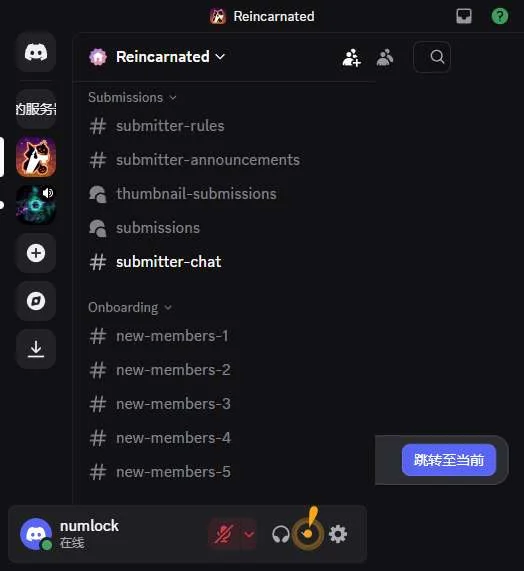
This code was shared by SpoildSoup in the official Reincarnated Discord’s #setup-support channel back in March 2026 — verify it still works in-game after the Reignited update. Reincarnated received its major Reignited visual overhaul on October 17, 2026, and older codes may not survive the transition — so if the import fails, that’s the most likely explanation, not a typo on your end.
If it does work, you get a working starter layout to study for free. If it doesn’t, the step-by-step starter build later in this guide series gets you to the same place.
How to Share Your Own Blueprint Code
Built something you’re proud of? Sharing it is the point of the whole system:
- Save your layout as a blueprint (steps above) and copy the code.
- Send the code to whoever you want — a friend’s DM, your group chat, or a Discord community.
- Include context when you share publicly: roughly what the layout does and whether it was built before or after the Reignited update. Codes shared without context are how dead codes keep circulating.
Where do people actually share these? Based on what we observed in the official Reincarnated Discord as of November 8, 2026: mostly in private messages. There is no dedicated, always-open blueprint-sharing channel — the closest is #setup-support, where players ask for layout help and occasionally post codes in replies. That’s why public blueprint code lists are so short compared to redeem code lists, and it’s not a conspiracy — it’s just how the community behaves.
Blueprint Code vs Redeem Code: They Are Not the Same Thing
This trips up a huge number of players, so let’s make it unambiguous:
| Blueprint code | Redeem code | |
|---|---|---|
| Format | Short code with a hyphen, e.g. XXXX-XXXX |
One uppercase word, e.g. MORECHANGES, HALLOWEEN2026, REIGNITED |
| What it does | Imports a factory layout into your base | Redeems free rewards — Cosmite, Tokens, Gems, boxes |
| Where you enter it | The Blueprint menu | The gift button (bottom-left of the screen), in the Redeem Code box |
| Who makes them | Players, from their own builds | Dreamscape, the developer |
| Expires? | Codes can stop working after major updates | Official codes have expiration dates |
The formats alone tell them apart: if your code contains a hyphen, it’s a blueprint code and belongs in the Blueprint menu. If it’s a single uppercase word, it’s a redeem code and belongs at the gift button. Pasting a redeem code into the blueprint import (or vice versa) will simply fail — the two systems don’t intersect.
If you came here looking for redeem codes instead, we track those separately with the official reward descriptions from the developer’s Discord.
Why Won’t My Blueprint Code Import?
If a blueprint code refuses to load, work through this list:
- Typo or missing hyphen.
XXXX-XXXXcodes are exact. A single wrong character or a lost dash breaks the import. Copy-paste instead of retyping whenever possible. - The code predates the Reignited update. Codes shared before October 17, 2026 may not survive the visual remake. The known community code KC2H-8ZYD is in this category — shared in March 2026, so treat it as unverified.
- It’s actually a redeem code. An uppercase single word won’t do anything in the blueprint importer. Check the format table above.
- Server version mismatch. After big updates, some servers lag behind. Rejoin a fresh server and try the import again.
- Layout limitations. Your base needs enough free space for the layout to place correctly. Clear the area if the import partially completes or fails silently.
If none of that works, the code is most likely dead. Ask the person who shared it when it was made — and if you confirm a code is broken, tell whoever published the list so it can be updated.
FAQ
Do blueprints cost anything to save or import? We found no indication of a cost for creating or importing blueprints — it appears to be a standard building feature. If that ever changes, it’ll show in the Blueprint menu in-game.
Do blueprints survive a Reincarnate? Reincarnating resets your factory — which is exactly why blueprints matter. Save your layout before you Reincarnate, and rebuilding becomes a one-code job. Verify the exact storage behavior in-game, since Dreamscape hasn’t documented it publicly.
How many machines can a blueprint hold? The official description advertises 500+ placeable machines, so large layouts are fair game. Any per-blueprint limits would show up when saving in-game.
Where can I find more community blueprint codes? Start with the official Reincarnated Discord — #setup-support is where layout help and code requests happen. Most codes move through DMs, so public lists stay short. We list everything publicly confirmed on our dedicated blueprint codes page.
Is this guide for the right game? Check the Place ID: Reincarnated [Sandbox Tycoon] by Dreamscape is Place ID 126642046443487. If you’re playing a different “Reincarnated,” none of this applies.
Related Articles
blueprints
Reincarnated Blueprint Codes (November 2026) — Community Shared Layouts
Every verified Reincarnated blueprint code shared publicly by the community, with the blueprint-vs-redeem-code difference explained and how to submit yours.
blueprints
A Starter Blueprint for Reincarnated — A Simple Layout New Players Can Aim For
A simple Reincarnated starter factory layout for new players: why it works, how to build it, and how to save it as your own blueprint code.
Was this helpful?
Thanks for the feedback!